Image editing API · Layered editor
Layered image editing, by hand or by API.
Nordic Layers is an image editor that runs in your browser and a REST API that runs the same edits from JSON. Layers, blend modes, masks, adjustments and text in any script: design a template once, then render a thousand variants of it.
- 63operations in the API
- 20blend modes
- 16adjustments and filters
- 12font families, 20+ scripts
- 0 €for previews, on every plan
A real layer editor, not a template filler
Most banner generator APIs swap a text and a picture on a fixed design. Nordic Layers gives you the tools of a desktop image editor, and every one of them is an API call.
-
Layers and blend modes
Image, text, shape, colour fill, linear or radial gradient and adjustment layers. Twenty blend modes, from multiply and screen to soft light, colour and luminosity, plus opacity on every layer.
-
Non-destructive adjustments
Levels, curves, hue/saturation, exposure, brightness/contrast, gradient map, black & white, colour balance, invert and grain. Change or remove them at any time: the source pixels are never touched.
-
Masks and clipping
Layer masks from a rectangle, an ellipse, a gradient fade or another image, with feathering and invert. Clip a photo to the shape below it, exactly as in a desktop editor.
-
Text in every script
Arabic and Urdu right to left, Hindi, Bengali and Tamil with proper shaping, Chinese, Japanese and Korean. Box width, alignment, leading, bold and italic in 12 font families.
-
Filters and layer effects
Gaussian and motion blur, noise, vignette, sharpen and pixelate. Drop shadow, stroke, outer glow and colour overlay on any layer, text included.
-
Same document, two ways in
What you build in the browser editor is a JSON document the API can open, change and export, and the other way round. Designers draw the template, code fills it.
How the image editing API works
A project is a JSON document of layers. You send operations, look at free previews, and export when it looks right.
Upload your images
Each photo, logo or product shot goes up in one request and comes back with an ID you can place in any project.
Run operations
Send one operation or a list of steps: add a layer, set its text, apply levels, add a mask. Each change is saved as a revision you can undo or redo.
Export
Download PNG, JPEG or WebP at any scale. Add steps to the export call to change the text or the photo for that file only, without touching the template.
// POST /v1/projects/{id}/run
{
  "steps": [
    {"op": "layer.addImage", "asset_id": "photo_lake", "fitCanvas": "cover", "name": "Photo"},
    {"op": "adjust.levels", "layer": "Photo", "black": 8, "white": 245, "gamma": 1.05},
    {"op": "text.add", "content": "Slow mornings", "fontName": "Georgia", "fontSize": 92, "color": "#FFFFFF"}
  ]
}Examples rendered by the real engine
Each image below came out of the Nordic Layers engine from the JSON next to it. The photos are test images; asset_id is the ID that POST /v1/assets returns for each upload.
-
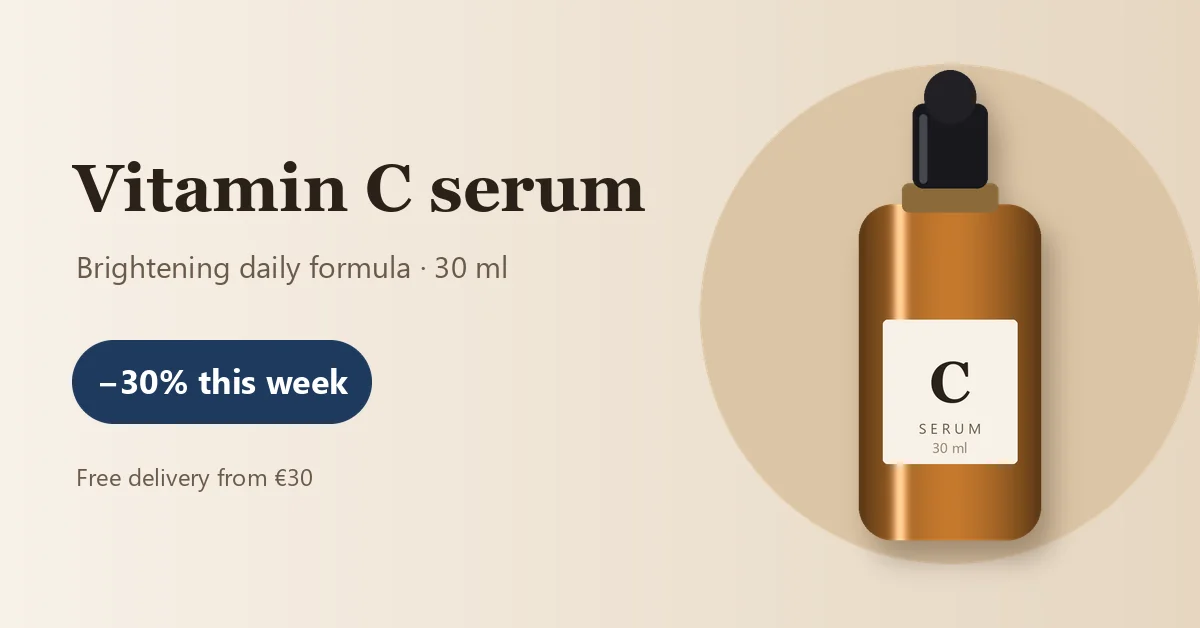
Canvas 1200×628 · 8 layers
E-commerce product banner
A product photo with a drop shadow on a gradient, a price badge and the offer. Swap the asset and the text for each product of the catalogue and export them all in one script.
Show the JSON that made it
// POST /v1/projects { "name": "Serum banner", "width": 1200, "height": 628, "background": "#F4EDE4", "steps": [ {"op": "layer.addFill", "name": "Backdrop", "gradient": {"colors": ["#F7F1E8", "#E6D6C1"], "angle": 0}}, {"op": "shape.add", "shape": "ellipse", "rect": [700, 64, 500, 500], "color": "#DCC5A6", "name": "Disc"}, {"op": "layer.addImage", "asset_id": "serum_bottle", "rect": [806, 70, 288, 480], "fit": "contain", "name": "Product"}, {"op": "effects.set", "layer": "Product", "shadow": {"color": "#3B2A1A", "opacity": 0.35, "angle": 120, "distance": 22, "size": 34}}, {"op": "text.add", "content": "Vitamin C serum", "fontName": "Georgia", "fontSize": 66, "bold": true, "color": "#2B2118", "origin": [72, 150], "name": "Title"}, {"op": "text.add", "content": "Brightening daily formula · 30 ml", "fontName": "Segoe UI", "fontSize": 30, "color": "#6B5A4A", "origin": [75, 245], "name": "Subtitle"}, {"op": "shape.add", "shape": "rectangle", "rect": [72, 340, 300, 84], "cornerRadius": 42, "color": "#1E3A5F", "name": "Badge"}, {"op": "text.add", "content": "−30% this week", "fontName": "Segoe UI", "fontSize": 34, "bold": true, "color": "#FFFFFF", "alignment": "center", "boxWidth": 300, "origin": [72, 357], "name": "Offer"}, {"op": "text.add", "content": "Free delivery from €30", "fontName": "Segoe UI", "fontSize": 24, "color": "#6B5A4A", "origin": [75, 460], "name": "Note"} ] } -
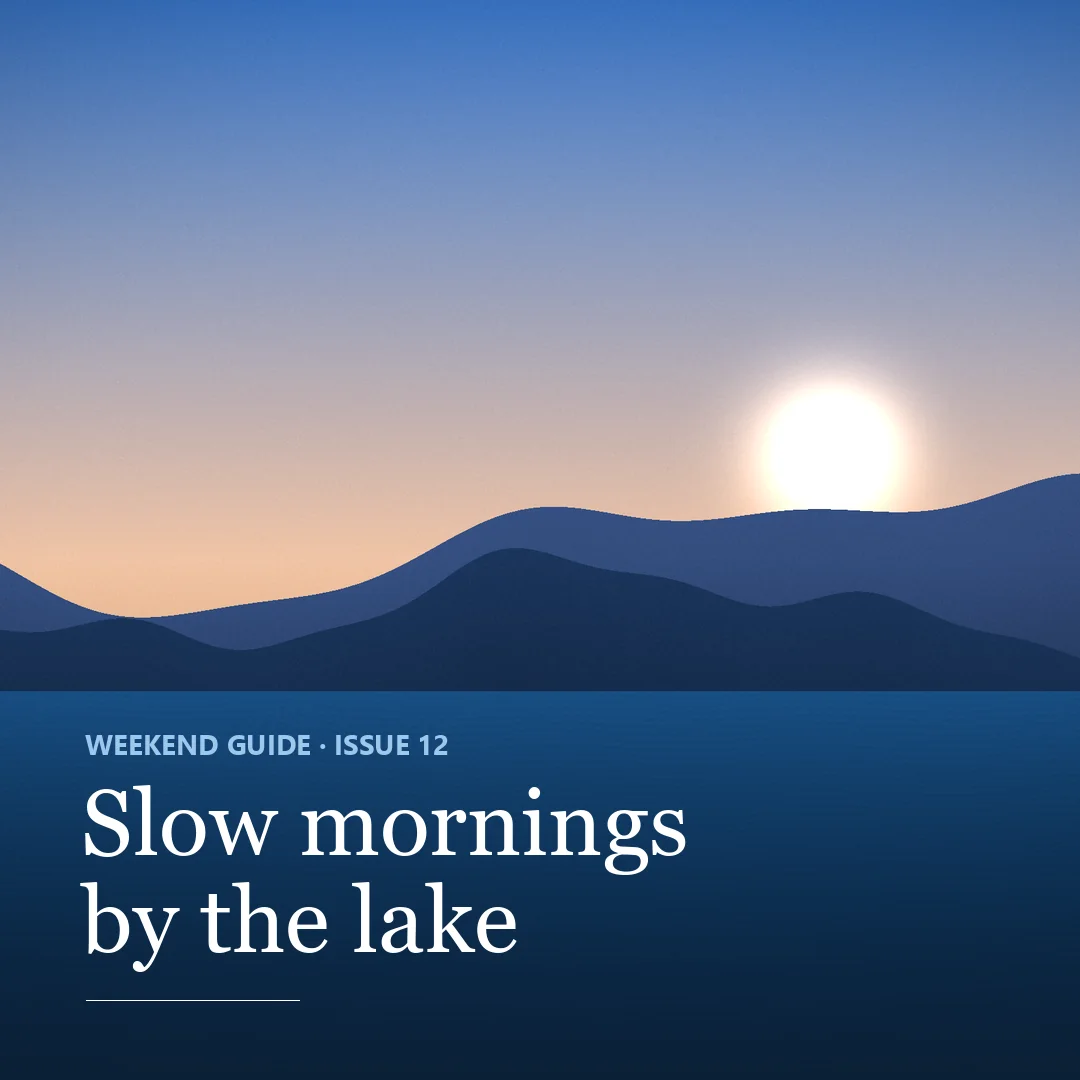
Canvas 1080×1080 · 5 layers
Square social post
A photo with levels, saturation and a vignette, a dark fill faded in with a gradient mask so the headline stays readable on any picture.
Show the JSON that made it
// POST /v1/projects { "name": "Weekend guide post", "width": 1080, "height": 1080, "background": "#0B1F33", "steps": [ {"op": "layer.addImage", "asset_id": "photo_lake", "fitCanvas": "cover", "name": "Photo"}, {"op": "adjust.levels", "layer": "Photo", "black": 8, "white": 245, "gamma": 1.05}, {"op": "adjust.hueSaturation", "layer": "Photo", "saturation": 18}, {"op": "filter.vignette", "layer": "Photo", "amount": -35, "midpoint": 55, "feather": 60}, {"op": "layer.addFill", "color": "#0B1F33", "name": "Shade", "opacity": 0.9}, {"op": "mask.add", "layer": "Shade", "from": [540, 1080], "to": [540, 560]}, {"op": "text.add", "content": "WEEKEND GUIDE · ISSUE 12", "fontName": "Segoe UI", "fontSize": 28, "bold": true, "color": "#9CC7EC", "origin": [84, 724], "name": "Kicker"}, {"op": "text.add", "content": "Slow mornings\nby the lake", "fontName": "Georgia", "fontSize": 92, "color": "#FFFFFF", "leading": 1.05, "origin": [80, 770], "name": "Headline"}, {"op": "shape.add", "shape": "line", "from": [86, 1000], "to": [300, 1000], "color": "#FFFFFF", "lineWidth": 4, "name": "Rule"} ] } -
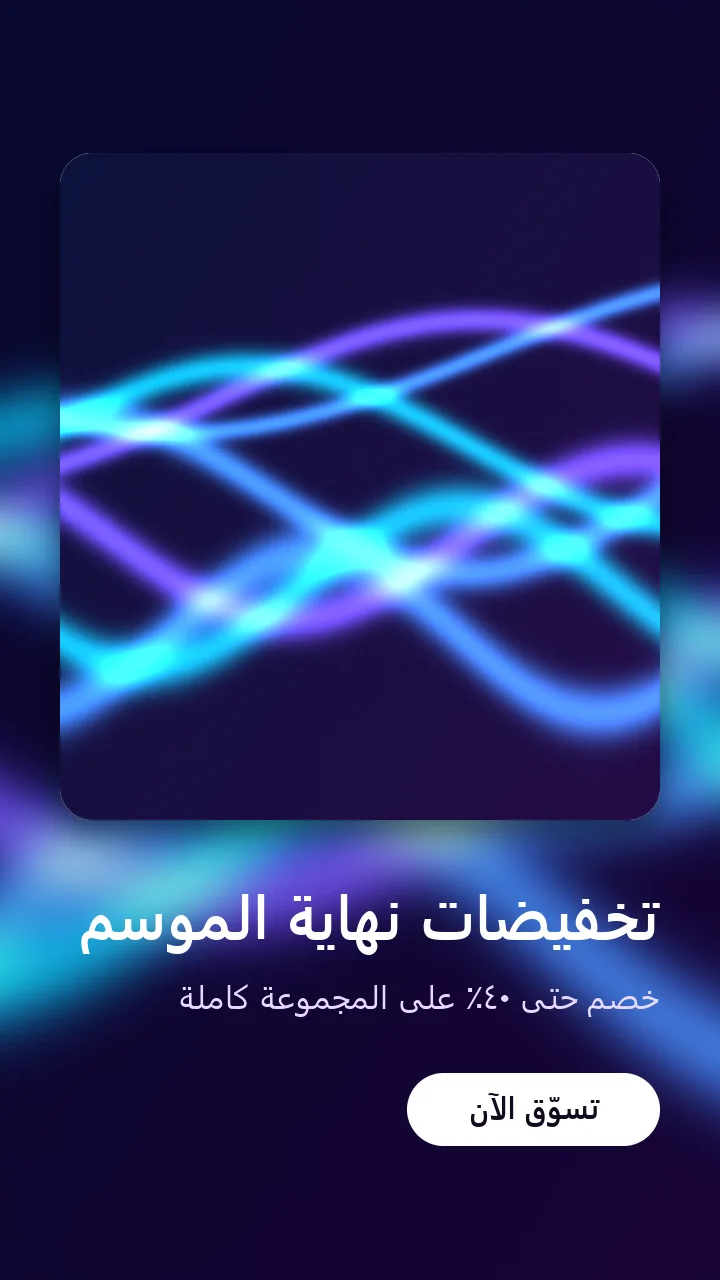
Canvas 1080×1920 · 7 layers
Story in Arabic
A 9:16 story with Arabic text shaped right to left, a blurred backdrop, and the photo clipped to a rounded card with a clipping mask.
Show the JSON that made it
// POST /v1/projects { "name": "Sale story (Arabic)", "width": 1080, "height": 1920, "background": "#120A1E", "steps": [ {"op": "layer.addImage", "asset_id": "photo_ribbons", "fitCanvas": "cover", "name": "Backdrop"}, {"op": "filter.gaussianBlur", "layer": "Backdrop", "radius": 28}, {"op": "adjust.brightnessContrast", "layer": "Backdrop", "brightness": -20, "contrast": -10}, {"op": "shape.add", "shape": "rectangle", "rect": [90, 230, 900, 1000], "cornerRadius": 48, "color": "#FFFFFF", "name": "Card"}, {"op": "effects.set", "layer": "Card", "shadow": {"color": "#000000", "opacity": 0.55, "angle": 90, "distance": 24, "size": 60}}, {"op": "layer.addImage", "asset_id": "photo_ribbons", "rect": [90, 230, 900, 1000], "fit": "cover", "name": "Photo"}, {"op": "layer.clip", "layer": "Photo"}, {"op": "text.add", "content": "تخفيضات نهاية الموسم", "fontName": "Segoe UI", "fontSize": 92, "bold": true, "color": "#FFFFFF", "alignment": "right", "boxWidth": 900, "origin": [90, 1310], "name": "Headline"}, {"op": "text.add", "content": "خصم حتى ٤٠٪ على المجموعة كاملة", "fontName": "Segoe UI", "fontSize": 50, "color": "#E9D8FF", "alignment": "right", "boxWidth": 900, "origin": [90, 1460], "name": "Offer"}, {"op": "shape.add", "shape": "rectangle", "rect": [610, 1610, 380, 110], "cornerRadius": 55, "color": "#FFFFFF", "name": "Button"}, {"op": "text.add", "content": "تسوّق الآن", "fontName": "Segoe UI", "fontSize": 46, "bold": true, "color": "#120A1E", "alignment": "center", "boxWidth": 380, "origin": [610, 1628], "name": "Button label"} ] } -
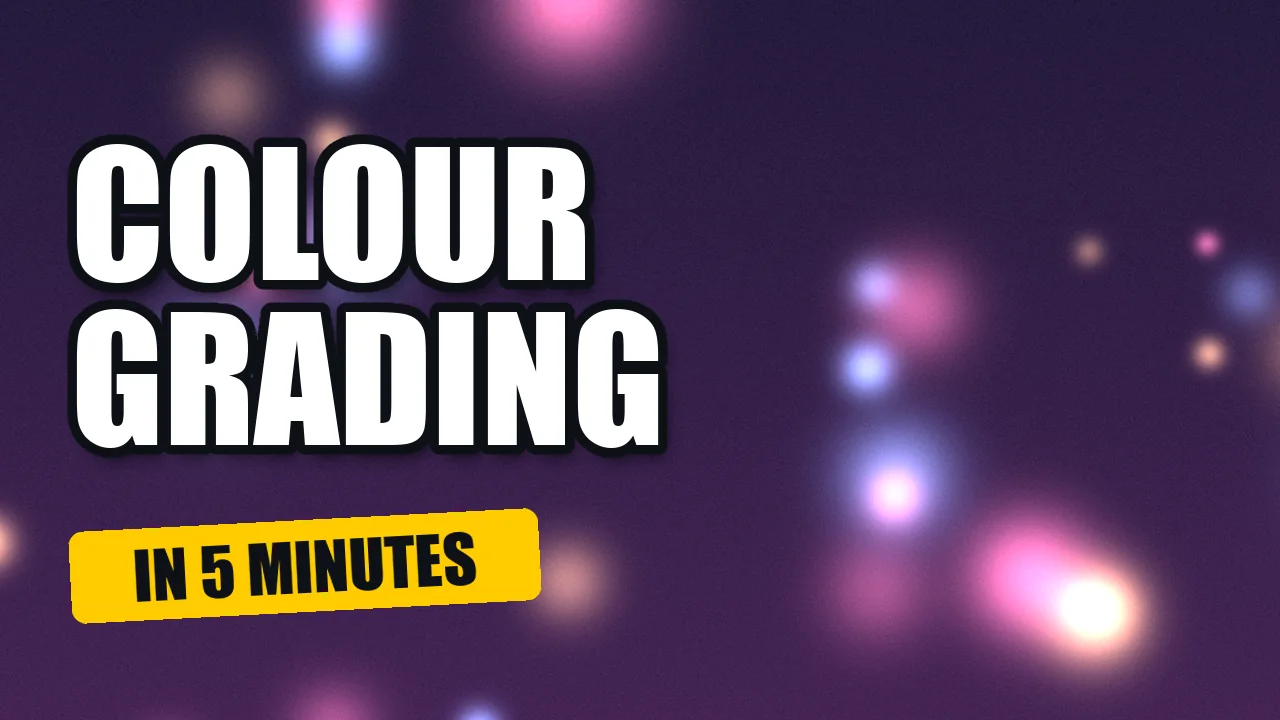
Canvas 1280×720 · 4 layers
Video thumbnail
Big type with a stroke and a drop shadow over a flipped, scaled and brightened photo, and a rotated tag. The kind of thumbnail you make every week.
Show the JSON that made it
// POST /v1/projects { "name": "Tutorial thumbnail", "width": 1280, "height": 720, "background": "#0D1117", "steps": [ {"op": "layer.addImage", "asset_id": "photo_glow", "fitCanvas": "cover", "name": "Photo"}, {"op": "transform.flip", "layer": "Photo", "axis": "horizontal"}, {"op": "transform.scale", "layer": "Photo", "factor": 1.4}, {"op": "transform.move", "layer": "Photo", "dx": 240}, {"op": "adjust.exposure", "layer": "Photo", "exposure": 0.4}, {"op": "text.add", "content": "COLOUR\nGRADING", "fontName": "Impact", "fontSize": 168, "leading": 0.98, "color": "#FFFFFF", "origin": [70, 110], "name": "Title"}, {"op": "effects.set", "layer": "Title", "stroke": {"color": "#0D1117", "size": 10, "position": "outside"}, "shadow": {"color": "#000000", "opacity": 0.7, "angle": 120, "distance": 14, "size": 20}}, {"op": "shape.add", "shape": "rectangle", "rect": [70, 520, 470, 92], "cornerRadius": 14, "color": "#FFCC00", "name": "Tag"}, {"op": "transform.rotate", "layer": "Tag", "angle": -3}, {"op": "text.add", "content": "IN 5 MINUTES", "fontName": "Impact", "fontSize": 66, "color": "#0D1117", "alignment": "center", "boxWidth": 470, "origin": [70, 526], "name": "Tag text"}, {"op": "transform.rotate", "layer": "Tag text", "angle": -3} ] } -
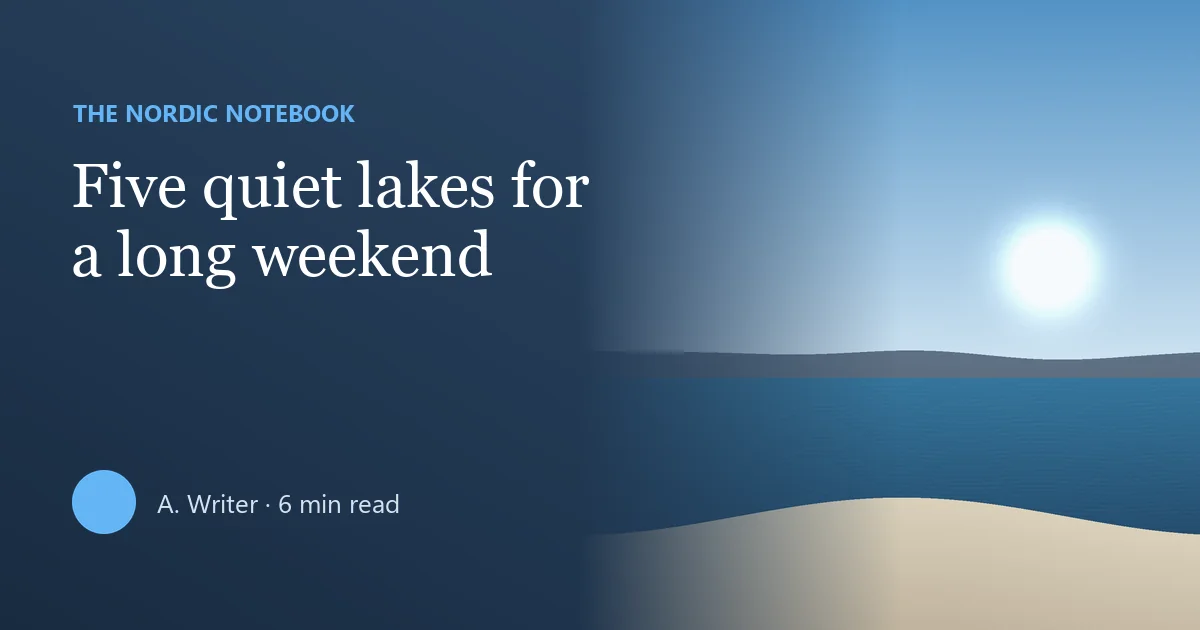
Canvas 1200×630 · 7 layers
Open Graph link preview
A 1200×630 card for a blog post: gradient background, a photo faded in with a gradient mask and a gradient-map adjustment layer over everything.
Show the JSON that made it
// POST /v1/projects { "name": "Blog link preview", "width": 1200, "height": 630, "background": "#1E3A5F", "steps": [ {"op": "layer.addFill", "name": "Backdrop", "gradient": {"colors": ["#24476F", "#0F2238"], "angle": 120}}, {"op": "layer.addImage", "asset_id": "photo_shore", "rect": [560, 0, 640, 630], "fit": "cover", "name": "Photo"}, {"op": "mask.add", "layer": "Photo", "from": [900, 315], "to": [580, 315]}, {"op": "adjustmentLayer.add", "kind": "gradientMap", "shadows": "#0F2238", "highlights": "#E8F1FA", "name": "Duotone", "opacity": 0.35}, {"op": "text.add", "content": "THE NORDIC NOTEBOOK", "fontName": "Segoe UI", "fontSize": 24, "bold": true, "color": "#64B5F6", "origin": [72, 96], "name": "Kicker"}, {"op": "text.add", "content": "Five quiet lakes for a long weekend", "fontName": "Georgia", "fontSize": 62, "color": "#FFFFFF", "boxWidth": 560, "leading": 1.12, "origin": [70, 150], "name": "Title"}, {"op": "shape.add", "shape": "ellipse", "rect": [72, 470, 64, 64], "color": "#64B5F6", "name": "Avatar"}, {"op": "text.add", "content": "A. Writer · 6 min read", "fontName": "Segoe UI", "fontSize": 26, "color": "#D6E2EF", "origin": [156, 484], "name": "Byline"} ] } -
Canvas 1080×1080 · 5 layers
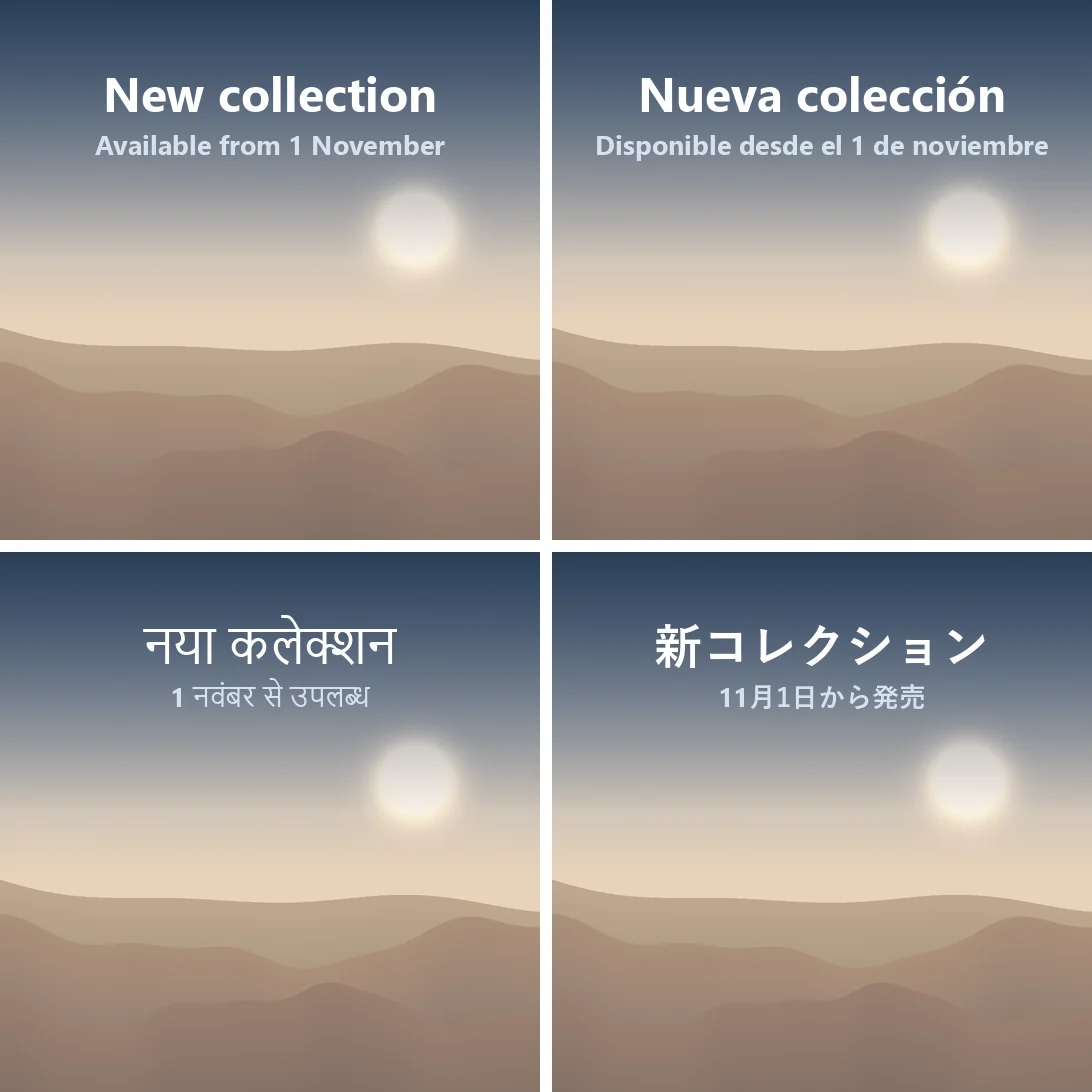
One template, every language
One project, four exports. Each export call carries two text.set steps, so English, Spanish, Hindi and Japanese come from the same design without saving copies.
Show the JSON that made it
// POST /v1/projects
{
  "name": "Collection launch",
  "width": 1080,
  "height": 1080,
  "background": "#1E3A5F",
  "steps": [
    {"op": "layer.addImage", "asset_id": "photo_dunes", "fitCanvas": "cover", "name": "Photo"},
    {"op": "adjustmentLayer.add", "kind": "gradientMap", "shadows": "#1E3A5F", "highlights": "#F6E7D8", "name": "Brand tone", "opacity": 0.55},
    {"op": "layer.addFill", "color": "#0F2238", "name": "Shade", "opacity": 0.75},
    {"op": "mask.add", "layer": "Shade", "from": [540, 0], "to": [540, 520]},
    {"op": "text.add", "content": "New collection", "fontName": "Segoe UI", "fontSize": 96, "bold": true, "color": "#FFFFFF", "alignment": "center", "boxWidth": 960, "origin": [60, 120], "name": "Title"},
    {"op": "text.add", "content": "Available from 1 November", "fontName": "Segoe UI", "fontSize": 54, "bold": true, "color": "#D6E2EF", "alignment": "center", "boxWidth": 960, "origin": [60, 250], "name": "Subtitle"}
  ]
}

// POST /v1/projects/{id}/export  (es)
{
  "format": "webp",
  "steps": [
    {"op": "text.set", "layer": "Title", "content": "Nueva colección"},
    {"op": "text.set", "layer": "Subtitle", "content": "Disponible desde el 1 de noviembre"}
  ]
}

// POST /v1/projects/{id}/export  (hi)
{
  "format": "webp",
  "steps": [
    {"op": "text.set", "layer": "Title", "content": "नया कलेक्शन"},
    {"op": "text.set", "layer": "Subtitle", "content": "1 नवंबर से उपलब्ध"}
  ]
}

// POST /v1/projects/{id}/export  (ja)
{
  "format": "webp",
  "steps": [
    {"op": "text.set", "layer": "Title", "content": "新コレクション"},
    {"op": "text.set", "layer": "Subtitle", "content": "11月1日から発売"}
  ]
}
A Photoshop alternative in the browser
Open the editor in any modern browser and work with layers the way you already know: a layers panel, blend modes, masks, adjustments and effects. Nothing to install and no plug-ins.
- Undo and redo on every change, in the editor and through the API.
- Free previews while you work; only exports count towards your plan.
- Export PNG, JPEG or WebP at any scale, or a single layer on its own.
- Your projects are saved in your account and open the same in the API.
-
Ruleshape
-
Headlinetext
-
Kickertext
-
Shadefill90%mask:gradient
-
PhotoimagelevelshueSaturationvignette
What you can use it for
-
Product images in bulk
Banners and catalogue images for every product: one template, the product photo and price swapped by a script.
-
Social posts and stories
Posts and stories in every language from one design, with text shaped correctly in Arabic, Hindi or Japanese.
-
Video thumbnails
A thumbnail template per channel or series: change the title and the photo, keep the style.
-
Open Graph images
Link preview cards generated when you publish a page, with the title of the article on them.
-
Marketing variants per locale
The same campaign in each market: translated text, local prices, another photo, all from one project.
-
Agents and automations
n8n, Make, Zapier, a cron script or an AI agent: anything that can send an HTTP request with JSON can edit images.
-
Editing in the browser
Retouch a photo, build a layout or fix a template by hand when you need to, without installing an editor.
Technical sheet
- Layers
- Image, text, shape (rectangle, ellipse, line), colour fill, linear or radial gradient, adjustment layer
- Compositing
- 20 blend modes, opacity, clipping masks, layer masks with feather and invert
- Adjustments
- Levels, curves, hue/saturation, exposure, brightness/contrast, gradient map, black & white, colour balance, invert, grain
- Filters
- Gaussian blur, motion blur, noise, vignette, sharpen, pixelate
- Layer effects
- Drop shadow, stroke, outer glow, colour overlay
- Text
- 12 font families, 20+ scripts with right-to-left and complex shaping
- Export
- PNG, JPEG or WebP, scale up to 8×, quality and matte colour for JPEG
- API
- REST over HTTPS, JSON in and out, Bearer API keys, up to 200 steps per call
Plans and prices
Start free, without a card. Previews are always free; only exports count. Prices exclude VAT, billed in pounds in the UK and in euros elsewhere.
Free
0 € per month
Free, no card needed
- 50 renders a month
- Canvas up to 4 megapixels
- Up to 10 layers per project
- 3 saved projects
- 250 MB of storage
- Exports kept 3 days
- API keys: 1
- Renders at once: 1
- Small watermark on exports
Starter
19 € per month
£17 UK
- 1,000 renders a month
- Canvas up to 12 megapixels
- Up to 30 layers per project
- 50 saved projects
- 2 GB of storage
- Exports kept 14 days
- API keys: 2
- Renders at once: 2
- No watermark
Pro
49 € per month
£43 UK
- 5,000 renders a month
- Canvas up to 25 megapixels
- Up to 100 layers per project
- 500 saved projects
- 10 GB of storage
- Exports kept 30 days
- API keys: 5
- Renders at once: 4
- No watermark
Business
129 € per month
£112 UK
- 20,000 renders a month
- Canvas up to 50 megapixels
- Up to 200 layers per project
- 5,000 saved projects
- 50 GB of storage
- Exports kept 60 days
- API keys: 20
- Renders at once: 8
- No watermark
- Priority rendering
One render counts 1 up to 4 megapixels, and 1 more for every 4 megapixels started above that.
Need more in a month? A top-up of 1,000 renders costs 25 € (£22 UK), valid 90 days, on any paid plan.
No surprise bills: when a plan's renders are used up, exports stop until you upgrade or buy a top-up.
Frequently asked questions
Is Nordic Layers a Photoshop alternative?
For layered compositing, yes: layers, blend modes, masks, adjustments, filters and layer effects, in the browser and with nothing to install. It is not a painting or photo retouching suite: there are no brushes or healing tools. Its strength is that every edit can also be run by the API.
What can the image editing API do that a template API can't?
Template APIs replace a text or an image on a fixed design. Here every operation of the editor is available: you can add a mask, change the levels of one photo, apply a blend mode or build the whole design from scratch in JSON. The list is in the API documentation.
How is a render counted?
Previews are free. An export counts as one render up to 4 megapixels, and one more for every 4 megapixels started above that, so a 1080×1080 post counts one and a 4000×3000 image counts three.
Can I generate banners in bulk?
Yes. Build the template once, then call the export endpoint with a few steps per variant (a text.set, a layer.setImage) and each call returns a file. The template itself never changes.
Does it work with n8n, Make, Zapier or an AI agent?
Yes. It is a plain HTTP API with JSON bodies and a Bearer key, so any tool that can send an HTTP request can use it. The operation catalogue is public at GET /v1/ops, which helps agents discover what they can call.
Which languages can I write on images?
Latin, Cyrillic and Greek, Arabic and Urdu right to left, Devanagari, Bengali, Tamil, Telugu and other Indic scripts with shaping, Chinese, Japanese and Korean. A line that mixes scripts uses a matching font for each part.
Is there a free plan?
Yes, without a card. It has a small watermark on exports and the limits listed under Pricing. Paid plans remove the watermark.
Where do the operation names come from?
They follow the automation API of Compositor, an open-source (MIT) image editor for macOS by Robbie Tilton, so scripts written for it read the same here. Nordic Layers is a separate web product built by Nordic Byte LTD.
Make your first image in a few minutes
Create a free account, open the editor or grab an API key, and export your first image. Questions about volume or a specific use? Write to us and we'll answer within one working day.
info@nordicbyte.co.uk